Keyboard Counter | Free Keyboard Clicker Counter Online
Keyboard Counter
Press any key to increase the counter
A Keyboard Counter is an online tool that counts how many times you press keys on your keyboard. It is also known as:
- Keyboard Clicker Counter
- Keyboard Click Counter
- Key Press Counter
This tool is useful for gamers, typists, programmers, and anyone who wants to test their keyboard speed or check how responsive their keyboard is.
🔹 What Is a Keyboard Counter?
A keyboard counter records every key press and displays the total number instantly. Whether you press letters, numbers, or special keys, the tool tracks them all.
It works directly in your browser without installing any software.
🔹 Why Use a Keyboard Clicker Counter?
1. Improve Typing Speed
Tracking key presses helps improve typing accuracy and speed.
2. Gaming Practice
Gamers can test reaction time and key responsiveness.
3. Keyboard Testing
Check if all your keys are working properly.
4. Fun Challenges
Compete with friends to see who can press more keys.
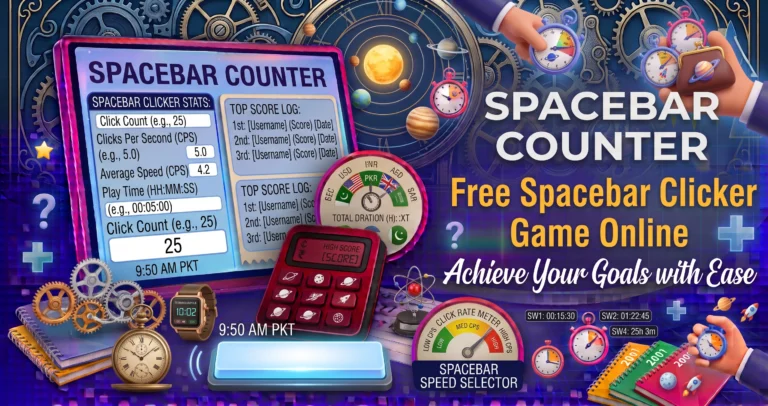
If you only want to measure your spacebar speed, use our Spacebar Counter to count spacebar presses accurately and improve your performance.
🔹 How the Keyboard Click Counter Works
- Click Start
- Press any keyboard key
- Each key press increases the count
- Results update instantly
- Reset anytime
🔹 Keyboard Counter vs Spacebar Counter
| Feature | Keyboard Counter | Spacebar Counter |
|---|---|---|
| Counts all keys | ✔ | ❌ |
| Tests full keyboard | ✔ | ❌ |
| Gaming practice | ✔ | ✔ |
| Typing speed | ✔ | ❌ |
Once you’ve tested your keyboard keys, try our CPS Counter to measure your mouse clicking speed and reaction time.
🔹 Common Uses
- Typing practice
- Keyboard testing
- Gaming training
- Classroom activities
- Reaction speed tests
🔹 Is the Counter Safe?
Yes.
It runs fully in your browser and does not collect personal data or keystrokes for storage.
🔹 Tips to Increase Your Score
✔ Use multiple fingers
✔ Keep hands relaxed
✔ Maintain rhythm
✔ Use mechanical keyboards
✔ Practice regularly
The Keyboard Counter is a simple but powerful tool for testing your typing speed and keyboard performance. Whether you’re a gamer, student, or professional typist, this tool helps you measure your performance easily.
To learn useful keyboard shortcuts, typing tips, and keyboard accessibility features, visit Microsoft Support – Keyboard Shortcuts.