CPS Counter – Test Your Clicking Speed Online
CPS Counter
Click as fast as you can in 10 seconds!
Your CPS: 0
A CPS Counter (Clicks Per Second Counter) is an online tool that measures how many times you can click your mouse within a specific time, usually 5 or 10 seconds.
This tool is popular among:
- Gamers
- Speed testers
- Minecraft & FPS players
- Typing & reflex trainers
- Competitive clickers
The faster you click, the higher your CPS score.
🔹 What Is CPS?
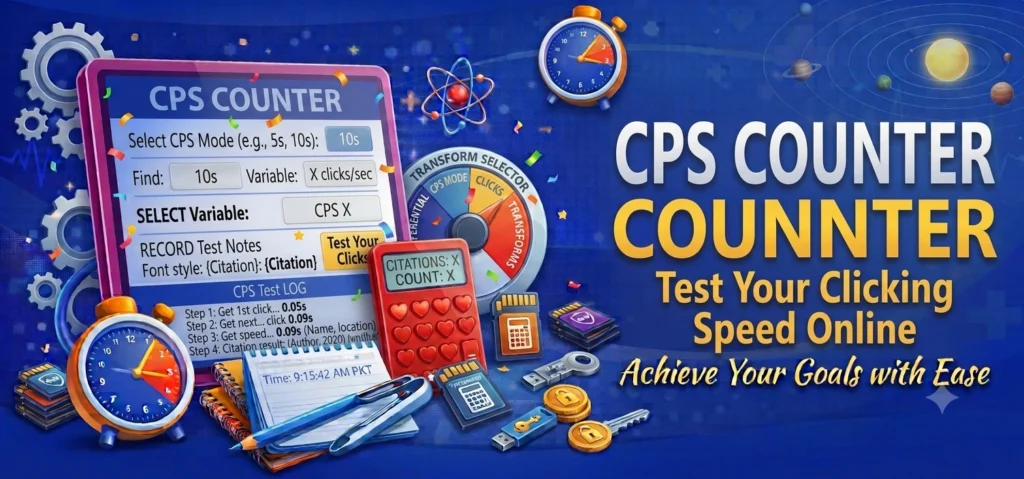
CPS stands for Clicks Per Second.
Formula:
Example:
If you click 60 times in 10 seconds:
🔹 Why Use a CPS Counter?
1. Improve Gaming Skills
Many games require fast clicking speed.
2. Test Reaction Time
Higher CPS = faster reflexes.
3. Fun Challenges
Compete with friends.
4. Track Improvement
Practice daily and increase your score.
🔹 How the CPS Counter Works
- Click Start
- Click the big button as fast as possible
- Timer runs for 10 seconds
- Tool calculates your CPS
- Result is displayed
🔹 CPS Score Chart
| Skill Level | CPS (10s) |
|---|---|
| Beginner | 3 – 4 |
| Average | 5 – 6 |
| Fast | 7 – 8 |
| Pro | 9+ |
🔹 Tips to Increase CPS
✔ Use jitter clicking
✔ Keep wrist relaxed
✔ Use a gaming mouse
✔ Practice daily
✔ Maintain rhythm
🔹 CPS Counter vs Spacebar Counter
| Feature | CPS Counter | Spacebar Counter |
|---|---|---|
| Uses mouse | ✔ | ❌ |
| Measures CPS | ✔ | ❌ |
| Gaming focused | ✔ | ✔ |
| Click accuracy | ✔ | ❌ |
Want to test every key on your keyboard? Use our Keyboard Counter to check key responsiveness and identify any faulty or unresponsive keys.
🔹 Is CPS Safe?
Yes.
It runs in your browser and does not store data or track users.
🔹 Common Uses
- Minecraft PvP
- FPS games
- Reaction training
- Mouse testing
- Speed competitions
The CPS Counter is a fun and powerful way to test your clicking speed. Whether you're a gamer or just curious about your reflexes, this tool gives instant and accurate results.
To improve your reaction time, clicking speed, and gaming performance, visit Human Benchmark and practice with interactive reaction tests.